
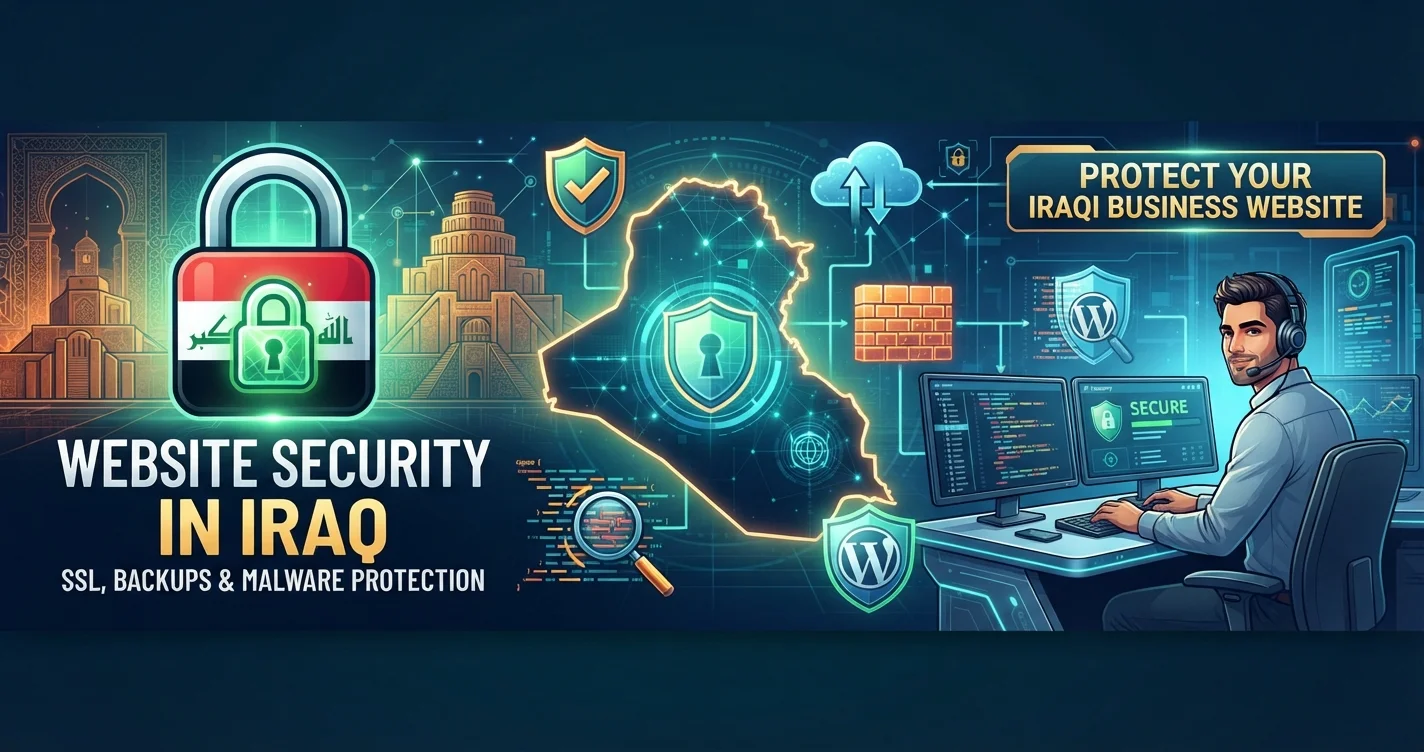
A company in Erbil launches a new campaign on Monday morning. By noon, customers are sending screenshots: the website redirects to a gambling page, and Chrome is showing a red warning before anyone can reach the homepage. The developer who built the site two years ago no longer answers his phone, nobody is sure who has the hosting password, and the last backup is from an unknown date. Situations like this are rarely caused by sophisticated attackers. They usually come from basic website security gaps that nobody owned.
This guide explains website security for Iraqi businesses in plain, practical terms. It covers the most common threats to small and mid-sized company websites, how SSL, backups, updates, and access control protect you, what extra steps WordPress sites need, and exactly what to do if your website is hacked. It is written for business owners and IT managers who are responsible for a website but are not security specialists.
Why Website Security Matters for Iraqi Businesses?
Many companies treat their website as a brochure that cannot be damaged. In reality, poor website security can harm your business in several direct ways.
Customer Trust and Browser Warnings
When a site is flagged as dangerous, browsers such as Chrome may show a full-page warning that most visitors will not click past. Google Search may also label affected results. Even after the problem is fixed, the warning stays until the site is cleaned and reviewed, which can take days. For a business, that is the most visible cost of weak website security.
Lost Leads and Wasted Campaigns
A hacked or offline website during an advertising campaign means paying for clicks that land on spam, error pages, or nothing at all. For businesses that rely on WhatsApp enquiries from their website, every hour of downtime is lost conversations. Treat website security as part of campaign planning, not just IT.
Data and Email Reputation
If your site collects customer details through forms, a breach can expose that information. Compromised sites are also often used to send spam, which can damage your domain’s email reputation so that even your normal business emails start landing in junk folders. Our guide to business email on your own domain explains the email authentication records that protect your domain’s reputation.
The Most Common Website Security Threats
Most attacks on business websites are automated. Bots scan the internet constantly for known weaknesses, so a site does not need to be famous to be targeted. Strong website security starts with understanding what those bots look for.
Outdated Software and Plugins
Content management systems, themes, and plugins release updates that fix known security problems. A site that has not been updated for months is one of the easiest targets, because the weaknesses are already publicly documented. Regular updates are the cheapest website security measure available.
Weak and Shared Passwords
Simple passwords, the same password reused across accounts, and passwords shared in WhatsApp groups or written on paper are common weaknesses. When several people use one admin account, it is also impossible to know who did what, which makes website security incidents much harder to investigate.
Pirated Themes and Plugins
So-called “nulled” premium themes and plugins, downloaded free from unofficial sites, often contain hidden malicious code. They also cannot receive official updates. Avoiding them is one of the simplest website security decisions you can make.
Unmanaged Access After Staff or Agencies Leave
In many Iraqi companies, a freelancer or former employee still has admin access to the website, the hosting account, or even the domain registration. If that account is compromised, or the relationship ends badly, you may lose control of your own site.
Spam and Abuse Through Forms
Contact and registration forms without protection can be flooded with spam or used to send malicious links. Basic form protection, a small part of website security, prevents most of this.
SSL and HTTPS: The Baseline
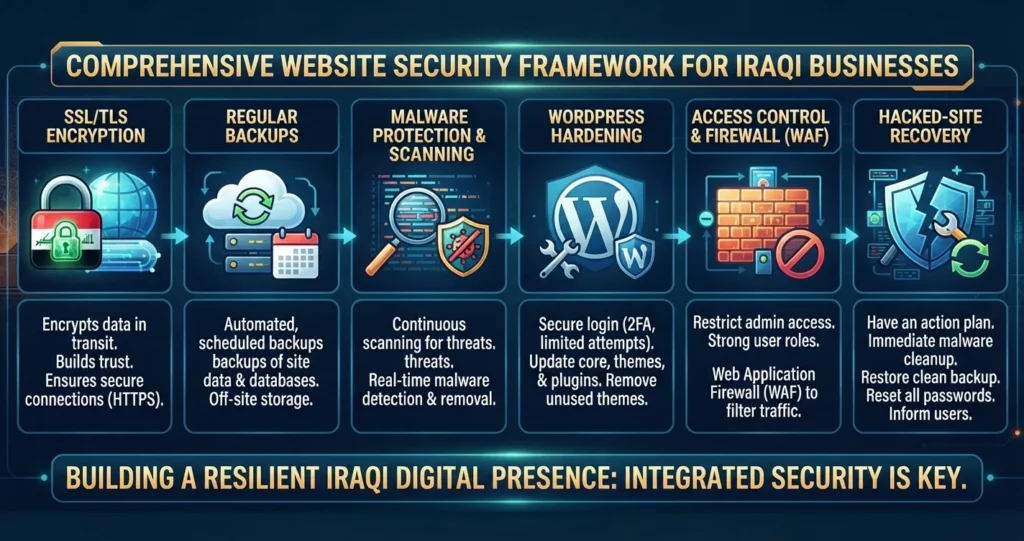
An SSL certificate encrypts the connection between your visitors and your website, shown by “https” and a padlock in the browser. It is the starting point of website security, not the whole of it.
Every Page Should Use HTTPS for Website Security
Modern browsers mark sites without HTTPS as “not secure,” especially on pages with forms. Make sure every page, not just the homepage, loads over HTTPS, and that the old “http” addresses redirect automatically to the secure version.
Free Certificates Are Usually Enough
For most business websites, free certificates from providers such as Let’s Encrypt, often available directly through your hosting control panel, provide the same encryption as paid ones. Paid certificates can make sense for specific organizational or validation requirements, but they do not add website security on their own.
Watch for Expiry and Mixed Content
Certificates must renew regularly. Automatic renewal prevents sudden warnings. Also check for “mixed content,” where a secure page loads images or scripts over plain http, which can trigger browser warnings.
Backups: Your Insurance Policy
No website security setup is perfect. Backups are what let you recover quickly when something goes wrong.
Follow the 3-2-1 Backup Principle for Website Security
Keep at least three copies of your website, on two different types of storage, with one copy stored away from your hosting server. A backup saved only on the same server as the website can be lost or infected along with it.
Back Up Files and the Database
A website backup must include both the files, such as themes, plugins, and uploaded images, and the database, which holds your pages, products, orders, and settings. Many backup failures happen because only one of the two was saved.
Choose the Right Frequency
A brochure website that changes monthly may need weekly backups. An online store taking orders every day needs daily backups at minimum. Keep several older versions too, because an infection may go unnoticed for weeks, and good website security assumes that can happen.
Test Your Restores
A backup you have never restored is a hope, not a plan. Test a restore at least occasionally, ideally to a staging copy, so you know it works and how long it takes.
Updates and Software Hygiene
Keeping software current is one of the most effective website security habits, and one of the most neglected.
Update Core, Themes, and Plugins
Apply updates promptly, especially security releases. For important business sites, test major updates on a staging copy first so that a plugin conflict does not break the live site.
Remove What You Do Not Use
Deactivated plugins and unused themes can still contain vulnerabilities. Delete anything you are not using. Fewer components mean fewer things to update and fewer ways in, which simplifies website security for everyone.
Keep the Server Up to Date
Your hosting environment, including the server software and programming language version, also needs updates. Good hosting providers handle much of this; on a VPS or dedicated server, it may be your responsibility. Our comparison of shared, VPS, and cloud hosting explains who manages what.
Access Control: Who Holds the Keys
Many website security problems in Iraqi companies are really ownership problems.
Own Your Domain, Hosting, and Admin Accounts
Your company, not a freelancer or a single employee, should own the domain registration, the hosting account, and the main website admin account, using a company email address. Our guide to .iq domain registration covers domain ownership in more detail.
One Account per Person: Basic Website Security
Give each person their own login with only the permissions they need. Content editors do not need full administrator rights. This limits damage if one account is compromised and makes activity traceable.
Use Strong Passwords and Two-Factor Authentication
Use long, unique passwords stored in a password manager, and turn on two-factor authentication for website admin accounts, hosting, domain registrar, and email. Few website security steps give as much protection for so little effort.
Remove Access When People Leave
When an employee, freelancer, or agency stops working with you, remove their accounts and change any shared passwords the same day. Keep a simple list of who has access to what; it is the most practical website security document a small company can maintain.
Firewalls, Malware Scanning, and Monitoring
Once the basics are in place, additional layers make website security more resilient.
Web Application Firewall
A web application firewall filters malicious traffic before it reaches your site, blocking many automated attacks. It can be provided by your host, a content delivery network, or a security plugin, and it adds a strong layer to your website security with little ongoing effort.
Login Protection
Limit repeated login attempts, change obvious admin usernames, and consider restricting admin access by location or IP address where practical.
Website Security Scanning and Uptime Monitoring
Regular malware scans can detect infected files early. Uptime monitoring alerts you when the site goes down, so you find out before your customers do. Google Search Console also shows a Security Issues report if Google detects a problem on your site.
WordPress Security Essentials
WordPress powers a large share of business websites, so its website security deserves specific attention. Our guide to CMS options for Iraqi businesses compares WordPress with other platforms.
Use Reputable Themes and Plugins Only
Install themes and plugins only from the official WordPress directory or well-known developers, check that they are actively maintained, and avoid anything that has not been updated for a long time. Every plugin you install becomes part of your website security.
Harden the Basics
Disable file editing from the dashboard, use a security plugin from a reputable developer, keep the number of administrator accounts small, and make sure file permissions on the server follow recommended settings.
Protect Forms and Comments
Use spam protection on forms, disable comments if you do not use them, and avoid plugins that let anonymous visitors upload files unless you really need that feature.
What to Do If Your Website Is Hacked?
If your site has been compromised, act calmly and in order. A clear plan limits the damage and speeds up recovery.
Step 1: Confirm and Contain
Confirm the problem from more than one device, then contact your hosting provider. If needed, put the site into maintenance mode or take it offline temporarily so visitors are not exposed to malicious content.
Step 2: Change All Passwords
Change passwords for the website admin, hosting control panel, database, FTP or SFTP, domain registrar, and related email accounts. Remove any admin users you do not recognize.
Step 3: Clean or Restore
Either clean the infected files and database carefully, or restore from a clean backup taken before the infection. Then update all software immediately, because an outdated component is often how attackers got in.
Step 4: Find the Cause
Identify how the attack happened, such as an outdated plugin, a pirated theme, or a stolen password. Without fixing the cause, the site is likely to be hacked again, so this step matters as much as any other part of website security recovery.
Step 5: Request a Review and Monitor
If Google flagged your site, request a review through Search Console after cleaning it. Monitor the site closely for the following weeks, and inform customers if their personal data may have been exposed.
A Simple Website Security Schedule
| Frequency | Task |
|---|---|
| Daily or weekly | Automatic backups, uptime monitoring, malware scans |
| Weekly | Apply plugin, theme, and core updates |
| Monthly | Review user accounts, check SSL status, test forms |
| Quarterly | Test a backup restore, review hosting and server versions |
| When staff change | Remove access and change shared passwords the same day |
Many businesses bundle these website security tasks into a maintenance plan. Our guide to website maintenance in Iraq explains what a good plan includes.
Frequently Asked Questions About Website Security
Contact your hosting provider, change all related passwords, and take the site offline or into maintenance mode if visitors are at risk. Then clean or restore from a clean backup, update everything, and find the cause.
No. SSL is essential to website security, but it only encrypts the connection between visitors and your site. It does not protect against outdated software, weak passwords, or malware. It is one layer of website security, not the whole solution.
It depends on how often the site changes. A brochure site may be fine with weekly backups, while an online store needs at least daily backups. Always keep a copy away from the hosting server.
Keep WordPress, themes, and plugins updated, avoid pirated themes, use strong passwords with two-factor authentication, limit admin accounts, add a firewall or reputable security plugin, and keep regular off-site backups.
Protect the Website Your Business Depends On
Good website security is less about expensive tools and more about consistent habits: HTTPS on every page, reliable off-site backups, prompt updates, clear ownership of accounts, and a plan for when something goes wrong. Put these basics in place now, before a hacked homepage forces the issue during your busiest week.
If you want help securing your current website or moving to a better-protected setup, Creative 4 All can review your site, hosting, and access, and recommend the right next steps. Explore our secure web hosting in Iraq, see our web design and development services, or message us on WhatsApp to discuss your website.