
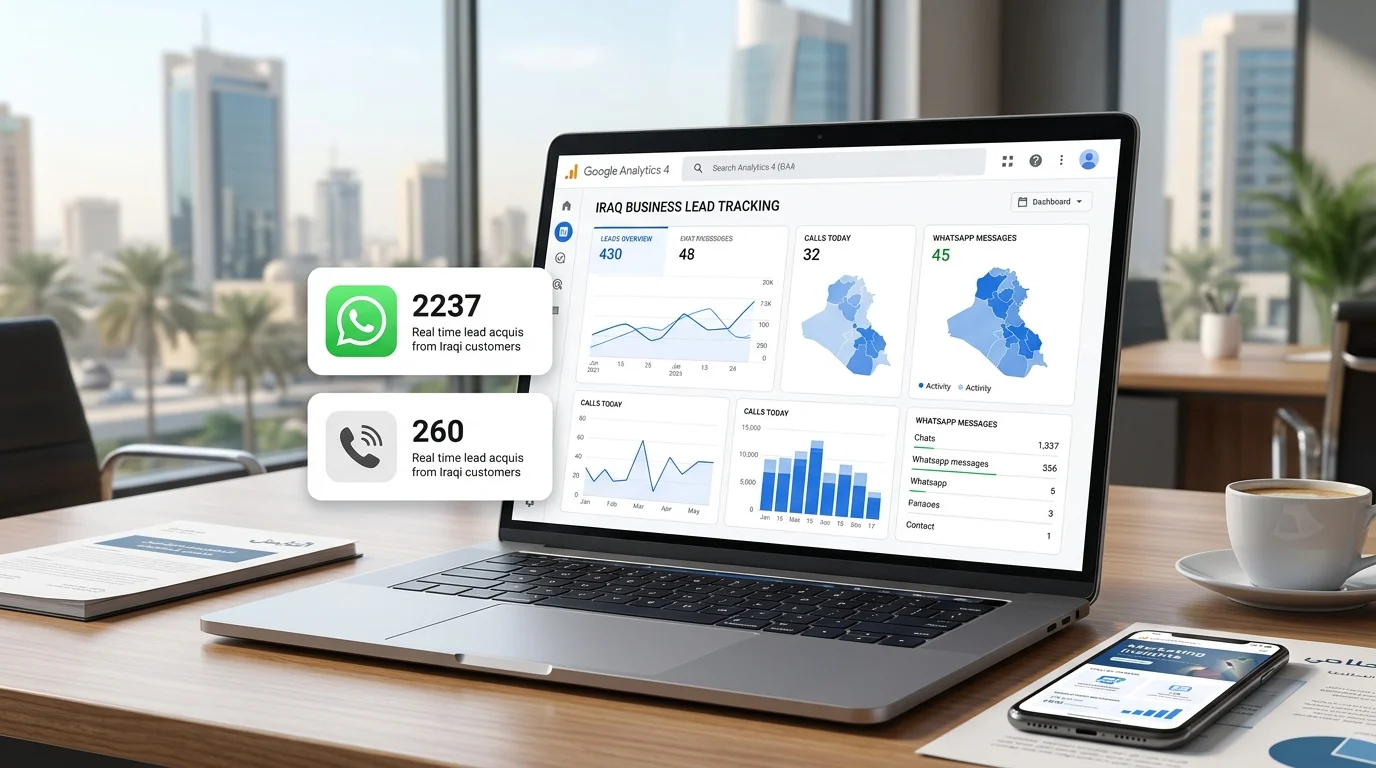
Ask an Iraqi business owner how many leads their website produced last month and the honest answer is often a shrug. Analytics is installed, the dashboard shows visitors, sessions, and countries, yet nobody can say how many of those visitors actually called, sent a WhatsApp message, or asked for a quote. That gap makes every marketing decision harder. GA4 can close it, but only if you configure it around the way Iraqi customers really get in touch, which is rarely a contact form and very often a chat.
This guide explains how to set up GA4 for lead generation in practical terms. You will see why most Iraqi sites measure the wrong things, which events to create, how to track WhatsApp and phone clicks, how to connect GA4 to Google Ads, and how to turn the data into a simple monthly lead report that a business owner can actually read.
Why Most Iraqi Websites Measure Nothing Useful?
Many sites in Iraq were set up with analytics years ago, sometimes by a freelancer, sometimes by a plugin, and sometimes still expecting Universal Analytics, which Google stopped processing data for in July 2023. Even where GA4 is installed correctly, it often runs on default settings. Those defaults count page views, scrolls, and sessions. They do not know that a click on your WhatsApp button is the most valuable thing a visitor can do.
Traffic Reports Are Not Lead Reports
A report that says 4,000 people visited last month tells you about reach, not results. Without lead events, you cannot tell whether the Instagram campaign brought enquiries or just curious scrollers, or whether your new service page is doing better than the old one. Business owners end up judging marketing by feel, and agencies end up defending numbers that do not connect to revenue.
The WhatsApp Blind Spot
In Iraq, a large share of serious enquiries starts with a WhatsApp click or a tap on a phone number. Default GA4 settings may record some of these as outbound clicks, but they are not marked as leads, not labeled clearly, and not available as conversions in Google Ads. The result is a site that appears to generate almost no leads while the sales team is busy answering chats all day.
GA4 Key Events Explained
GA4 is built around events. Every interaction, from a page view to a button click, is an event. A small number of those events matter to the business, and GA4 lets you mark them as key events. Google renamed what used to be called “conversions” in GA4 to “key events” in 2024; in Google Ads, the term “conversions” is still used for the actions you import and optimize toward.
Events, Key Events, and Parameters
An event is anything that happens, such as page_view or click. A key event is an event you have told GA4 is important, such as a WhatsApp click or a form submission. Parameters are extra details attached to an event, such as the page where the click happened or the type of service the visitor was viewing. Parameters are what let you answer questions like “Which service page produced the most WhatsApp enquiries?”
Which Events Should Count as Leads?
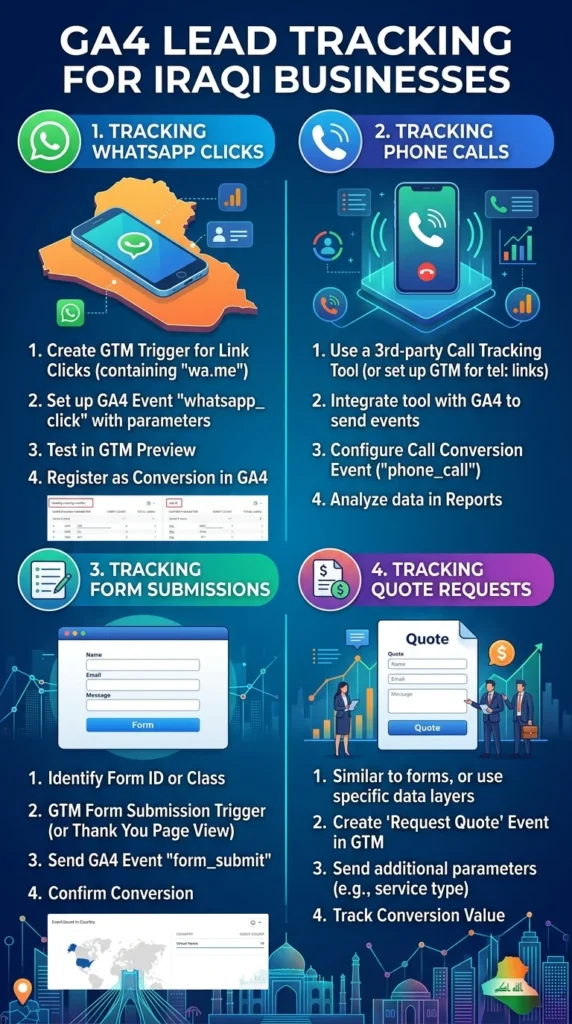
For most Iraqi service businesses, four actions deserve to be key events: a WhatsApp click, a phone click, a form submission, and a quote request if you have a dedicated quote form. Ecommerce stores should also track purchases and, where cash on delivery is common, order confirmations. Resist the temptation to mark scrolls or video plays as key events. If everything is a key event, nothing is.
Setting Up GA4 the Right Way
A clean foundation saves hours of confusion later. Before adding custom events, check the basics.
Confirm the Installation and Data Settings
Make sure GA4 is installed once, not twice through both a plugin and a manual tag, which inflates numbers. Check that your time zone is set to Iraq so daily reports align with your working days. Increase data retention from the default two months to the maximum available for your property, which is 14 months for standard properties, so you can compare periods meaningfully. Add your own office IP address as internal traffic if staff visit the site often.
Use Google Tag Manager for Flexibility
Google Tag Manager lets you create and change tracking without editing website code each time. For most businesses, the cleanest setup is to install Tag Manager on every page and deploy GA4 through it. Then every new event, such as a WhatsApp click on a new landing page, can be added in minutes.
Check Enhanced Measurement Carefully
GA4 enhanced measurement automatically tracks some interactions, including outbound clicks and form interactions. It is helpful, but not reliable enough for lead tracking on its own. Automatic form tracking, in particular, can miss submissions or count attempts that never completed. Treat enhanced measurement as a background layer and build dedicated events for the actions that matter.
Tracking WhatsApp and Phone Clicks in GA4
This is the most important section for Iraqi businesses, because these two actions usually represent most real enquiries.
Tracking WhatsApp Button Clicks
In Tag Manager, create a click trigger for links whose URL contains wa.me or api.whatsapp.com. Attach a GA4 event tag that sends an event named whatsapp_click, with parameters such as page_location and a custom parameter for the button position, for example header, floating, or footer. Publish, test in GA4 DebugView, then mark whatsapp_click as a key event. If you use prefilled messages that differ by page, as recommended in our guide to WhatsApp Business for Iraqi companies, you can also pass the service name as a parameter.
Tracking Phone Clicks
Phone links on mobile begin with tel:. Create a trigger for clicks on links whose URL starts with tel: and send an event such as phone_click to GA4. Mark it as a key event. Remember that this tracks taps on the number, not completed calls. If calls are your main channel, consider a call tracking service that assigns numbers by source, but check carefully whether it supports Iraqi numbers before committing.
What These Events Can and Cannot Tell You
A WhatsApp click shows intent, not a confirmed lead. Some people click and never send a message. That is why GA4 data should be paired with what happens in the chat, for example using labels inside WhatsApp Business to mark which conversations became real leads. Together, the two numbers give you an honest picture.
Tracking Forms and Quote Requests
Forms still matter, especially for B2B services, larger projects, and visitors who contact you outside working hours.
Use the Thank-You Page or a Success Event
The most reliable method is sending visitors to a dedicated thank-you page after a successful submission and tracking views of that page as a key event in GA4. If your form shows a success message without changing the page, ask your developer to push a dataLayer event on success and fire a GA4 event called generate_lead from Tag Manager.
Separate Quote Requests From General Contact
A quote request from your pricing page is worth more than a general question about job openings. Track them as separate events, or add a form_type parameter, so your reports show high-intent enquiries clearly. This distinction becomes especially useful when you compare campaigns.
Avoid Double Counting
Test each form several times. Make sure refreshing the thank-you page does not fire the event again and that a failed submission does not count. Clean data is worth more than impressive data.
Connecting GA4 to Google Ads and Meta
Tracking leads in GA4 is useful on its own, but it becomes powerful when your advertising platforms can see the same leads.
Importing Key Events Into Google Ads
Link your GA4 property to Google Ads in the admin settings, then import whatsapp_click, phone_click, and generate_lead as conversions. Choose which ones should be primary conversions for bidding, usually the most valuable ones. Smart bidding can then optimize toward real enquiries instead of clicks. If your campaigns are currently optimized for traffic, this one change can reshape their performance. Our guide to Google Ads for Iraqi businesses covers campaign structure in more depth.
Use UTM Parameters for Every Campaign
For Meta, TikTok, email, and other non-Google traffic, add UTM parameters to every link so GA4 can attribute leads to the right source, campaign, and ad. Keep naming consistent: decide once whether you write facebook or Facebook, and stick to it. Messy naming splits one campaign into several rows in your reports.
Meta Pixel and Conversions API
Meta campaigns rely on their own tracking. Install the Meta pixel and, where possible, the Conversions API, and send the same lead actions as events. Keep the event names aligned with your GA4 setup so you can compare platforms without translating terms every month.
Building a Simple Monthly Lead Report
Data is only useful if someone reads it. Most business owners do not want twenty charts; they want answers to a few questions.
The Five Numbers Worth Reporting
A practical monthly report from GA4 includes total leads by type (WhatsApp, phone, form), leads by source (Google organic, Google Ads, Instagram, direct), leads by landing page, the conversion rate for your main service pages, and the change compared with the previous month. These five views tell you what is working and where to look next.
Use Explorations or Looker Studio
GA4 Explorations let you build custom tables, such as key events by landing page and source. For a cleaner presentation, connect GA4 to Looker Studio and build a one-page dashboard. Share it with your team and your agency so everyone works from the same numbers.
Combine Online Data With Sales Reality
Ask whoever handles enquiries to record, once a month, how many chats and calls became real opportunities and sales. Put that next to the GA4 numbers. If one channel produces many clicks but few real leads, you will see it. This is also the basis of honest ROI reporting, which we discuss in our article on measuring social media ROI for Iraqi businesses.
Common GA4 Mistakes to Avoid
A few problems appear repeatedly in the accounts we review:
- Installing the tracking code twice, which doubles page views and distorts conversion rates.
- Marking low-value actions, such as scrolls, as key events.
- Forgetting to test events after a website update breaks button classes or links.
- Leaving data retention at two months, which makes year-on-year comparison impossible.
Fixing these is usually quick, and it makes every later decision more reliable. Once tracking is trustworthy, it also becomes the starting point for conversion rate optimization on Iraqi websites, because you finally know which changes improve results.
Frequently Asked Questions About GA4 Lead Tracking
Yes. The standard version of GA4 is free and is sufficient for most small and medium businesses. A paid version exists for very large organizations with high data volumes.
GA4 tracks what happens on your website, so it records the click that opens WhatsApp, not whether a message was sent. To measure real conversations, combine GA4 click data with labels or a CRM on the WhatsApp side.
Events start recording immediately after publishing, and you can verify them in DebugView or Realtime reports. For decisions, wait for at least two to four weeks of data so you can see patterns rather than daily noise.
Basic events such as WhatsApp and phone clicks can be set up through Google Tag Manager without editing code. Form success events sometimes need a developer to add a small dataLayer push, especially on custom-built sites.
Turn Visitors Into Measurable Leads
GA4 is not difficult once it is configured around the actions that matter for your business. For most Iraqi companies, that means WhatsApp clicks, phone taps, form submissions, and quote requests, tracked cleanly, connected to your ad platforms, and summarized in a short monthly report. With that in place, marketing stops being guesswork and starts being a set of decisions you can justify.
If you want help setting up GA4 lead tracking or reviewing your current configuration, Creative 4 All can audit your setup and build the events and report your team needs. Explore our digital marketing services in Iraq, see how we manage PPC campaigns in Iraq