
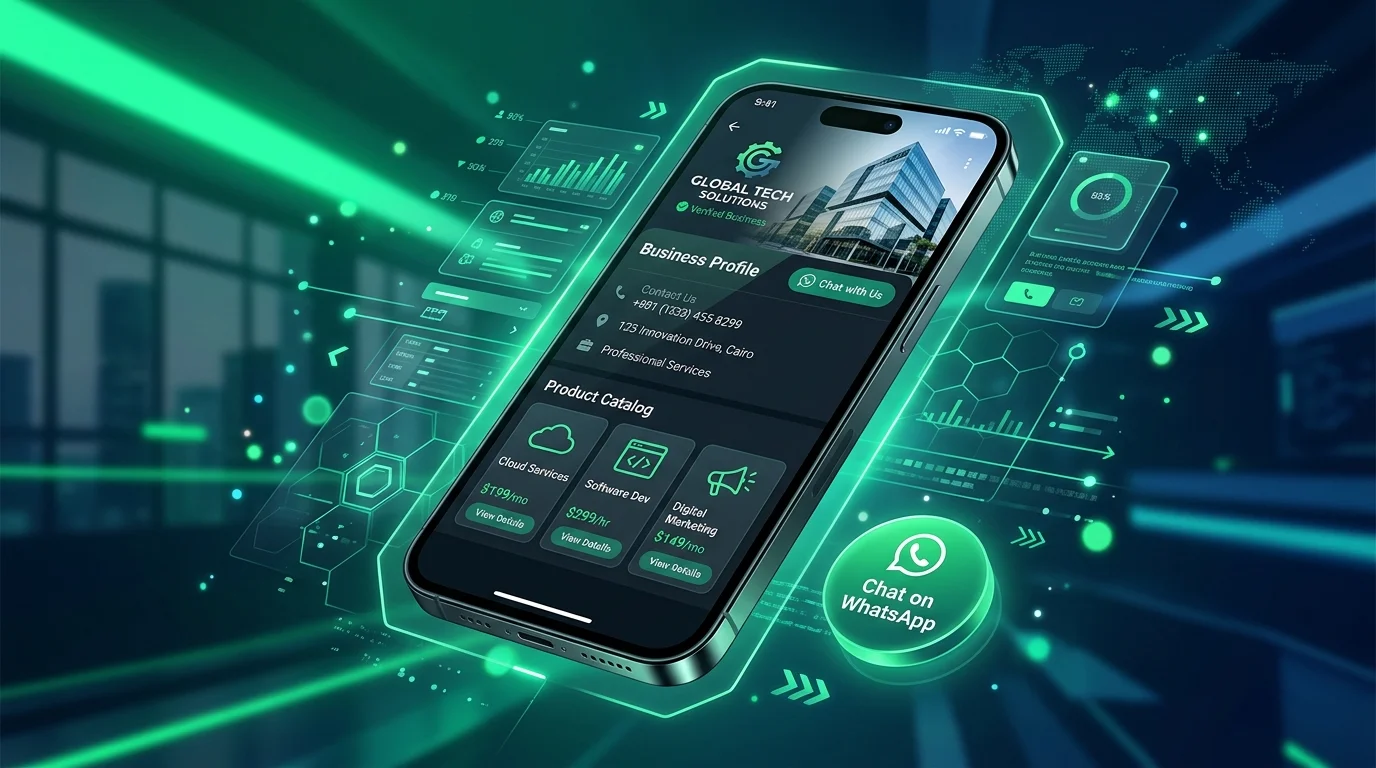
Ask an Iraqi customer how they would like to contact a business and the answer is rarely “email.” It is usually a WhatsApp message, often with a photo attached and a question that needs a quick, human reply. Many companies already know this, which is why so many still run their sales from a personal phone number. The trouble starts when that number belongs to one employee, chats get lost, nobody knows how many enquiries arrived last month, and the website has no idea which visitors turned into conversations. WhatsApp Business fixes most of that, provided it is set up properly and connected to the rest of your marketing.
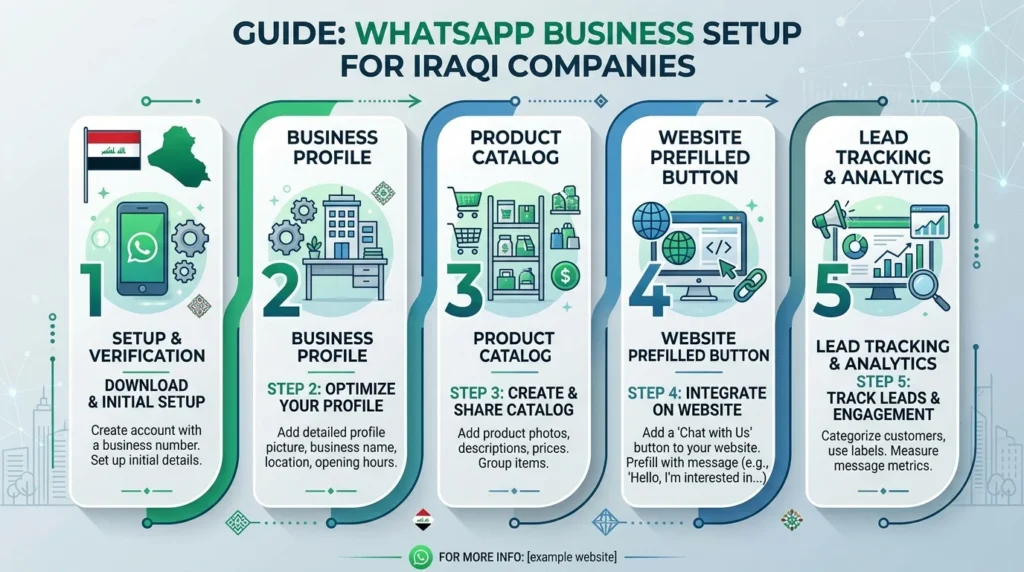
This guide walks through WhatsApp Business from the perspective of an Iraqi company: choosing the right version, building a profile customers trust, using the catalog, adding a WhatsApp button to your website, and, most importantly, counting chats as real leads so you can see what your marketing actually produces.
Why WhatsApp Business Matters More in Iraq Than Email?
In many markets, the website contact form is the default route to a sale. In Iraq, the conversation usually happens in a chat window. Customers want to send a picture of the product they saw on Instagram, ask whether it comes in another color, check delivery to their area, and confirm the price before committing. That back-and-forth suits messaging far better than a form that disappears into an inbox, and it is exactly the kind of conversation WhatsApp Business was built for.
Using WhatsApp Business instead of a personal account turns that habit into a system. Your company gets a proper profile, automated greetings outside working hours, labels to organize chats, quick replies for common questions, and a catalog of products or services. The customer experience stays the same familiar chat; the difference is on your side, where enquiries become organized, measurable, and less dependent on one person’s phone.
The Hidden Cost of Running Sales From a Personal Number
We regularly meet businesses whose entire lead flow sits on a manager’s personal WhatsApp. When that person is on leave, enquiries go unanswered. When they leave the company, the customer history leaves too. Mixing family chats with customer chats also makes slow replies more likely. Moving to WhatsApp Business on a dedicated company number is the first step toward treating messaging as a sales channel rather than an informal habit.
WhatsApp Business App vs WhatsApp Business Platform?
Meta offers two different products, and choosing the wrong one wastes time and money.
The WhatsApp Business App
The free WhatsApp Business app runs on a phone, much like regular WhatsApp. It suits small and medium businesses that handle conversations manually: a shop, a clinic, a training center, or a service company with a small team. It includes a business profile, catalog, labels, quick replies, and greeting and away messages. It can also be linked to a limited number of additional devices, so more than one team member can reply from the same number.
The WhatsApp Business Platform
The WhatsApp Business Platform, often called the API, is designed for larger volumes and integrations. It connects WhatsApp to CRMs, helpdesks, ecommerce platforms, and chatbots, and supports multiple agents and automated notifications such as order confirmations. It is usually accessed through a Meta business solution provider and is charged according to Meta’s current pricing model, which has changed over time, so always check Meta’s official pricing page before budgeting.
Which One Should an Iraqi SME Choose?
Most Iraqi SMEs should start with the app. Move to the Platform when you have several people replying at once, need to send order or appointment notifications automatically, or want chats to flow into a CRM. If you are already exploring automation, our guide to AI chatbots for Iraqi businesses explains when a bot genuinely helps and when it frustrates customers.
Setting Up Your WhatsApp Business Profile
Your profile is the first thing a customer checks before trusting you with a question, a deposit, or a delivery address. Treat it like a small landing page.
Use a Dedicated Company Number
Register WhatsApp Business on a number reserved for the business, not an employee’s personal line. Make sure the WhatsApp Business number is the same one shown on your website, Google Business Profile, Instagram bio, and printed materials. Consistency matters: customers notice when a company publishes three different numbers, and they wonder which one is real.
Complete Every Profile Field
Add your company name exactly as customers know it, a clear logo, a short description of what you sell, your category, address, working hours, email, and website. The description should be specific. “Furniture showroom in Erbil, delivery across the Kurdistan Region” is more useful than “Quality and excellence since 2010.” Every completed field in your WhatsApp Business profile answers a question the customer would otherwise have to ask.
Write Greeting and Away Messages That Help?
The greeting message is sent automatically when someone contacts you for the first time. Use it to set expectations: who they are talking to, typical reply time, and what information speeds things up. The away message covers evenings and holidays. Something like “Thank you for your message. We reply from 9 am to 6 pm, Saturday to Thursday. Send us your question and the product name, and we’ll answer first thing” is honest and practical. Write both in Arabic, and add English or Kurdish if your customers use them. Both are set in the WhatsApp Business app under business tools and take minutes to configure.
Using the WhatsApp Business Catalog
The catalog lets you display products or services directly inside WhatsApp, with photos, prices, descriptions, and links. For businesses that sell through chat, it shortens conversations dramatically.
What to Put in Your Catalog?
Add your best-selling products or core services first rather than uploading everything at once. Each item needs a clear photo, a name customers would recognize, a short description, and a price if you publish one. Service businesses can use the catalog too: a clinic can list consultation types, and an agency can list packages with a “starting from” note where appropriate.
Keep the Catalog in Sync With Your Website
Nothing undermines trust faster than a price in the WhatsApp Business catalog that differs from your website or Instagram post. Assign one person to update all three when prices or stock change. If you run an online store, consider whether your platform can sync with the catalog through the Platform, or at least set a weekly review routine.
Adding a WhatsApp Button to Your Website
For most Iraqi companies, the WhatsApp button is the most-used contact method on the site. It deserves more thought than a floating green icon dropped in by a plugin.
Use Click-to-Chat Links With a Prefilled Message
WhatsApp supports click-to-chat links in the format wa.me/ followed by your full international number and an optional prefilled text. For an Iraqi number, that means starting with the 964 country code and leaving out the leading zero and any plus sign or spaces. Adding a prefilled message, for example “Hello, I’d like a quote for a company website,” removes the awkward first step for the customer and tells your team immediately what the person wants.
Vary the Message by Page
A single generic message wastes an opportunity. Set different prefilled texts for different pages: the SEO page opens an SEO enquiry, the ecommerce page opens a store enquiry, a product page includes the product name. Your team sees the context instantly, replies faster, and you learn which pages generate conversations. This is one of the simplest improvements covered in our guide to conversion rate optimization for Iraqi websites.
Place the Button Where Decisions Happen
A floating button is useful, but also place a clear WhatsApp call to action in the hero section of key pages and at the end of every service page, next to your phone number and form. On mobile, make sure the floating button does not cover other buttons or the cookie notice.
Tracking WhatsApp Chats as Real Leads
This is where most companies fall short. They know WhatsApp brings business, but their analytics show almost nothing, so marketing decisions rely on guesswork.
Track Button Clicks in Google Analytics 4
Every WhatsApp button on your site should fire an event in Google Analytics 4 when clicked, and that event should be marked as a key event. Google Tag Manager makes this straightforward: trigger on clicks to links containing wa.me or api.whatsapp.com, and send an event such as whatsapp_click with the page path. Once this is in place, you can see which pages, campaigns, and traffic sources lead to WhatsApp conversations.
Use Labels to Track What Happens Next
A click is not a sale, and WhatsApp Business gives you the tools to follow what happens after it. Inside WhatsApp Business, create labels such as New Lead, Quote Sent, Won, and Not Relevant, and apply them consistently. At the end of each month, count chats by label. Combined with your GA4 data, this gives you a simple but honest picture: how many clicks became real conversations, and how many conversations became customers.
Identify Which Campaigns Bring Chats
If you run Google or Meta ads, use page-specific prefilled messages or dedicated landing pages so you can tell which campaign produced each chat. Meta also offers click-to-WhatsApp ads, which open a chat directly from the ad. Whatever method you choose, the goal is the same: connect advertising spend to actual conversations rather than to clicks alone. Our guide to the Facebook Ads vs Google Ads decision explains how each channel tends to perform for Iraqi businesses.
Managing WhatsApp Business as a Team
As enquiries grow, response time becomes your competitive advantage. A customer who waits three hours often buys from whoever answered in ten minutes.
Quick Replies for Repeated Questions
Look at your last fifty chats and list the questions that keep coming up: delivery areas, prices, working hours, payment methods, warranty. Write a clear quick reply for each in WhatsApp Business. Personalize the opening line, but let the saved reply do the heavy lifting. Your team answers faster and gives consistent information.
Set a Response-Time Standard
Agree on a target, such as replying within 15 minutes during working hours, and check it weekly. If one person cannot keep up, link additional devices or consider moving to the Platform with a shared inbox. Slow replies quietly cost more sales than most businesses realize.
Respect Customers’ Time and Consent
Broadcast lists and promotional messages can work, but only with customers who expect to hear from you. Sending unwanted promotions risks blocks and reports, which can damage your number’s standing. Keep promotional messages relevant, occasional, and easy to opt out of.
When to Add Automation or a Chatbot
Automation makes sense when you receive many repetitive questions, need to collect the same details from every lead, or want to confirm orders and appointments automatically. A well-designed bot can answer common questions at midnight and hand the conversation to a human when needed. A poorly designed one traps customers in menus. Start with greeting messages, quick replies, and labels in WhatsApp Business, and consider automation only once you understand your conversation patterns. When you are ready, our digital marketing services in Iraq can help plan the right setup.
Frequently Asked Questions About WhatsApp Business
The WhatsApp Business app is free to download and use. The WhatsApp Business Platform charges according to Meta’s pricing model for certain message types, and providers may add their own fees, so check current pricing before committing.
You can migrate a number, but for a company it is better to use a dedicated number owned by the business, so customer conversations stay with the company even when staff change.
Yes. The app allows linking a limited number of additional devices, and the Platform supports multiple agents through a shared inbox or CRM.
Track button clicks as key events in Google Analytics 4, then use labels inside WhatsApp Business to record which chats became real leads and customers. Together, those two numbers tell you what the channel is worth.
Turn Chats Into a Measurable Sales Channel
WhatsApp Business is already where Iraqi customers want to talk. The companies that win are the ones that treat it as a proper sales channel: a dedicated number, a complete profile, a useful catalog, page-specific website buttons, quick replies, labels, and tracking that shows which marketing brings real conversations. None of it is complicated, but together it turns scattered chats into a predictable source of enquiries.
If you want help connecting WhatsApp Business to your website and analytics, Creative 4 All can review your setup and recommend the right next steps. Explore our digital marketing services in Iraq, read our complete guide to digital marketing in Iraq, or start a WhatsApp conversation with our team today.